Test what you’ve learned in a practice shop.
The field test is a practice shop with seven dark patterns and one honest feature. Flag what you notice, then check your answers. Nothing you do is recorded.
Agreeing to share your data takes one tap or none at all, while saying no means finding a setting buried several menus deep.
It overlaps with Brignull’s (2010) “privacy zuckering” and Bösch et al.’s (2016) “privacy dark strategies”, including “bad defaults” and “hidden legalese stipulations”.
What it costs you
Your posts, messages and behaviour used in ways you didn’t choose, including to train AI systems, and hard to take back once they have been used.
Specimen
Home
Maya R.
First swim of the year. Freezing. Worth it.
Jon P.
Anyone know a good bike shop near the station?
Settings
Account
Notifications
Privacy & safety
Your information & permissions
Data permissions
This setting doesn’t apply to generative AI models.
How Pebble uses AI
We use information shared on Pebble, including public posts, photos and captions, to develop and improve AI at Pebble, relying on our legitimate interests. This helps us build experiences that bring people closer together.
Depending on where you live, you may have the right to .
Object to processing
Request received
We’ll review your request and respond within 30 days. If it is approved, it will apply to information shared from then on.
THE ROUTE TO “NO”
Saying yes: no steps, because it was already on.
Home
Maya R.
First swim of the year. Freezing. Worth it.
Privacy
Two clicks to get here, and one to change it.
The same structure appears wherever data is collected, with sharing on by default and a long way out.
Before you reveal each answer, decide which of the six attributes the example relies on.
“Reject all” withdraws consent, but a second tab holds “legitimate interest” switches that are already on.
Rejecting on the first screen leaves a second set of permissions in place unless you know to look for them.
You turn off “Location history”. A separate activity setting goes on saving where you’ve been.
When one switch sounds like it covers everything, a second one can keep collecting unnoticed.
To refuse tracking, you untick several hundred “partners” one by one.
Consenting takes one button and refusing takes hundreds of clicks, so many people give up.
A new account’s posts, likes and friends list start out visible to everyone.
Few people change default settings, so most accounts stay public.
The privacy maze rarely removes a choice altogether. It makes sharing the starting point and puts the option to stop sharing behind one door after another.
The tactics are well documented. Bösch et al. (2016) describe “bad defaults”, settings chosen so that sharing personal information is easier than not, and “hidden legalese stipulations” that put the important terms where few people read. Gray et al. (2018) give an early, simple example: a phone operating system that turned ad tracking on by default and placed the switch to turn it off in an obscure part of the settings.
Defaults work because most people leave them as they are (Johnson & Goldstein, 2003). In Di Geronimo et al.’s (2020) review of 240 popular apps, 60% used preselection, most often with notifications switched on before the user had been asked.
Mathur et al. (2021) use this pattern to explain asymmetry: the choice the company prefers is prominent and immediate, while the privacy-respecting one is “tucked away behind several clicks”. As platforms began using people’s posts and conversations to train AI systems, the same structure reappeared, with training switched on by default and the switch to stop it hard to find.
Credit bureaus spent much of the twentieth century compiling files on consumers’ finances, jobs and private lives, and selling them to lenders, insurers and employers. The people described in those files had no right to see them, let alone correct them (Lauer, 2017).
The Fair Credit Reporting Act of 1970 changed that in the United States, giving consumers a right to find out what was in their file and to dispute it. Credit bureaus went on collecting, but people could now see what had been collected about them.
Read the chapter: Mail, credit & the negative option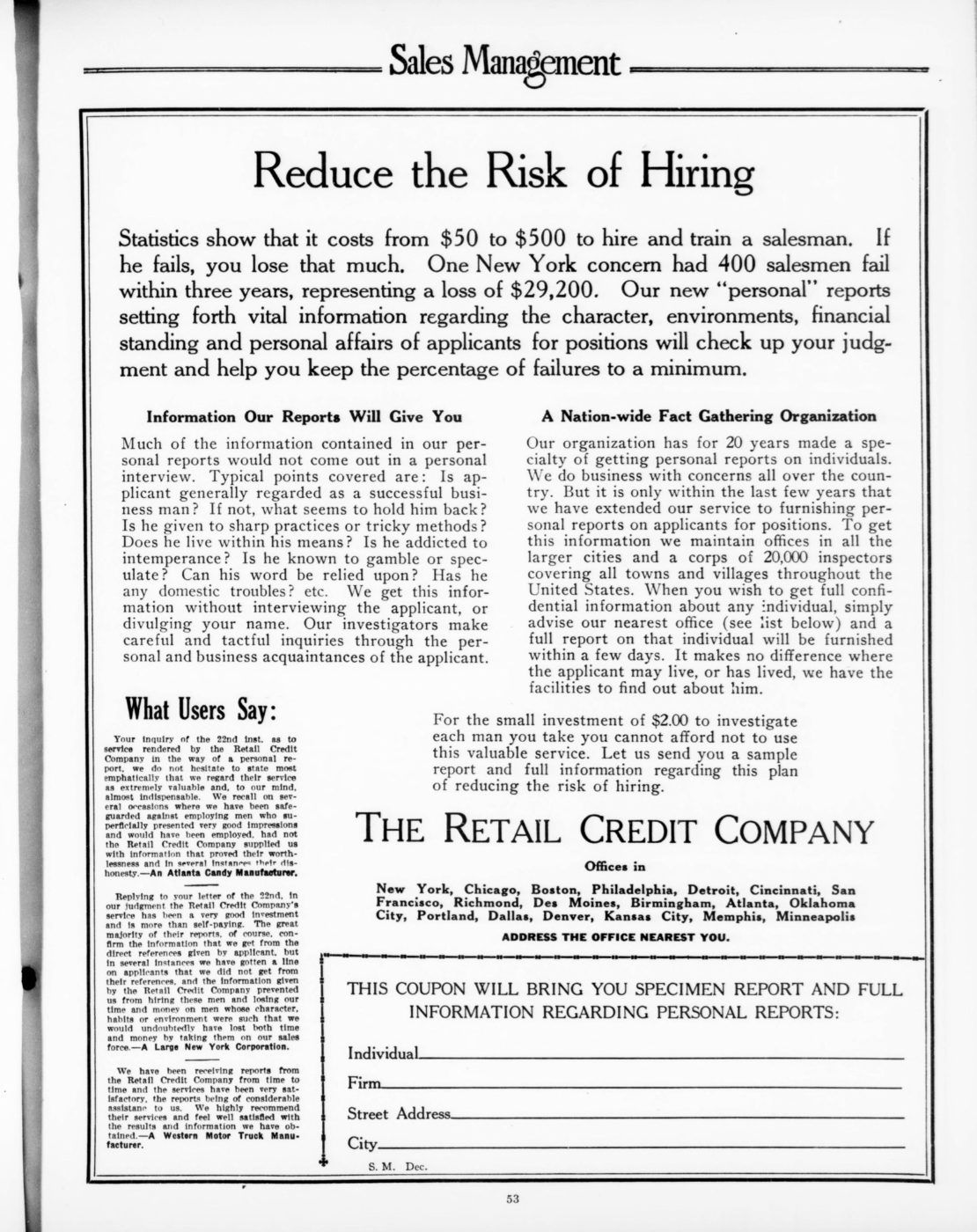
Ask before using data, give yes and no equal buttons, and keep each setting where people would look for it.
Activity
Find an example
Look for this pattern in an app or website you used this week. Note the date, what you saw, which of the six attributes it relies on and how you would make it honest. If it’s a clear example, send it to us.
Last reviewed October 2026. A summary, not legal advice.
Privacy maze. (2026). In Deceptive by Design: A history and field guide to manipulative interfaces. https://deceptivebydesign.org/patterns/privacy-maze/
Test what you’ve learned in a practice shop.
The field test is a practice shop with seven dark patterns and one honest feature. Flag what you notice, then check your answers. Nothing you do is recorded.